
This filter allows you to enter the name of a contact, or part of the contact's name, and see only transactions associated with that contact. Just enter the name or part of the name that you know and Sage 50 will display only information with that contact name. This field is NOT case sensitive.
When Sage 50 searches transactions for the data you entered, it looks in the field specified below.
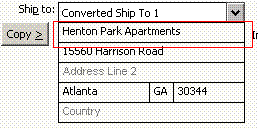
- If you selected Use Company Name in the ship-to address on the Contacts tab in Maintain Customers, this field will have the Company Name value.
- If you selected Use Contact Name in the ship-to address on the Contacts tab in Maintain Customers, this will have the Contact Name value.